
AC thermostat troubleshooting
If your AC is not turning on in Bogalusa, LA, it can be frustrating—especially in the middle of a hot Louisiana day. Before assuming the worst, there’s a good chance the issue could be something simple like your thermostat. This situation is often referred to as ac-not-turning-on-bogalusa-la.
At Mike’s A/C, we often find that many “no-cool” calls are actually caused by thermostat issues. Before you schedule a service call, here are a few things you can check yourself that may save you time and money.
For more information on
AC thermostat troubleshooting
check our guide on
AC Thermostat Troubleshooting
Click for AC Thermostat Troubleshooting
Why Your AC Might Not Be Turning On
When your air conditioner won’t turn on in the middle of a hot Louisiana day, your first thought might be that your system is broken. But in many cases, the issue isn’t the AC unit at all — it’s your thermostat. Before you schedule a service call, there are a few simple thermostat checks you can do yourself. These steps can save you time, money, and get your system running again quickly.
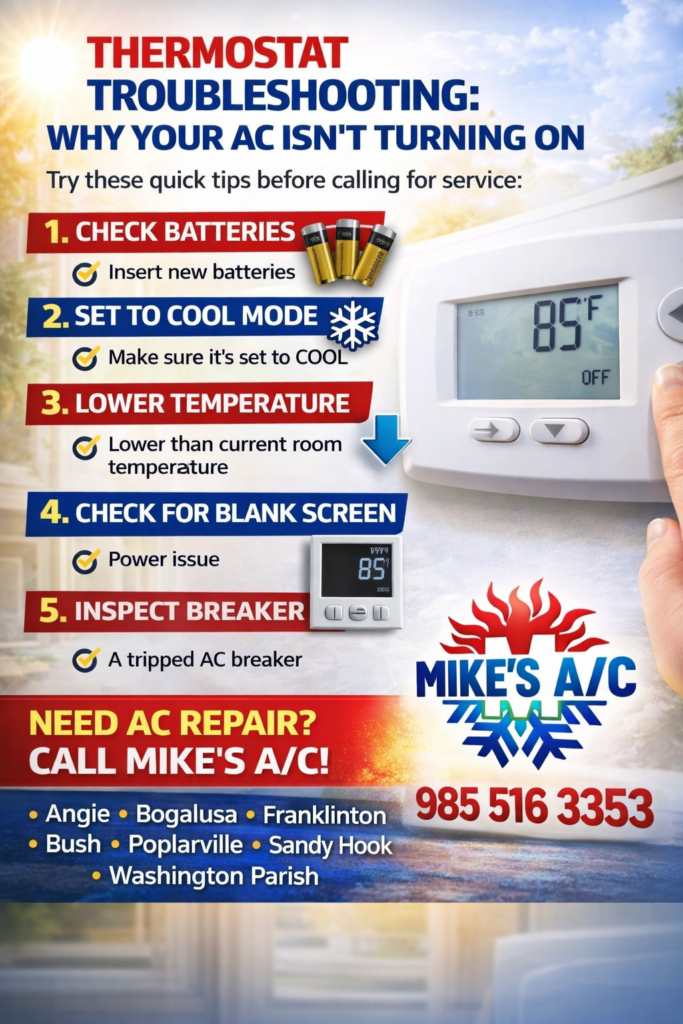
1. Check the Thermostat Batteries
One of the most common reasons your AC won’t turn on is dead batteries in your thermostat. If your thermostat screen is blank or unresponsive:
- • Replace the batteries with fresh ones
- • Make sure they are installed correctly
Even if the screen is still on, weak batteries can cause communication issues with your system.
2. Make Sure It’s Set to “Cool”
It sounds simple, but it happens all the time. Check that your thermostat is set to:
- • Mode: Cool
- • Fan Setting: Auto or On
- • Temperature: Lower than the current room temperature
If your thermostat is set to heat or the temperature is set too high, your AC won’t kick on.
3. Lower the Temperature Setting
Try lowering your thermostat at least 3–5 degrees below the current room temperature. This forces the system to respond and can help you determine if the thermostat is actually communicating with your AC unit.
4. Check for a Blank or Glitching Screen
A blank or glitchy thermostat screen could mean:
- • Power issue
- • Wiring problem
- • Internal thermostat failure
If replacing the batteries doesn’t fix it, your thermostat may need to be repaired or replaced.
5. Inspect Your Breaker
Sometimes the issue isn’t the thermostat itself, but power to the system. Check your electrical panel for:
- • A tripped AC breaker
- • A tripped furnace/air handler breaker
If the breaker is tripped, reset it once. If it trips again, stop and call a professional.
6. Check for Loose or Damaged Wiring
If you feel comfortable, you can remove the thermostat cover and look for:
- • Loose wires
- • Corrosion
- • Burn marks
If anything looks off, it’s best to leave it alone and call for service.
7. Make Sure the Thermostat Is Level (Older Models)
Older thermostats (especially non-digital ones) need to be level to work properly. If it’s crooked, it can cause incorrect temperature readings and prevent your AC from turning on.
When It’s NOT the Thermostat
If you’ve checked everything above and your AC still isn’t turning on, the issue could be:
- • Capacitor failure
- • Contactor problems
- • Low refrigerant
- • Electrical issues
At that point, it’s time for a professional diagnosis.
Need AC Repair? We’ve Got You Covered
If your thermostat seems fine but your system still isn’t working, don’t wait in the heat. We provide fast, reliable AC repair in:
- • Angie
- • Bogalusa
- • Franklinton
- • Bush
- • Poplarville
- • Sandy Hook
- • Washington Parish
We’ll quickly diagnose the problem and get your system back up and running.
